BIO-key PortalGuard IDaaS
Simplifying Access Management to Put You Back in ControlPortalGuard is a single, unified Identity and Access Management platform (IAM) that provides cutting-edge solutions to a range of use cases and business initiatives, such as multi-factor authentication, single sign-on, and self-service password reset. Unlike all other IAM platforms, however, BIO-key PortalGuard sets itself apart by being the only one to offer these business-critical products powered by the security of Identity-Bound Biometrics.

“PortalGuard is a robust platform. Its stability and continued enhancement and support have exceeded our expectations.”
Read the review
An Award-Winning Platform
We are honored to receive awards and recognition for the flexible, powerful identity security PortalGuard provides.



A Secure, Modern Digital Experience
Give users the options and flexibility to make it easy to remain secure while enjoying their digital experience. Here are some of the ways our customers are putting PortalGuard into action:
Start Your Free Trial
Identity-Bound Biometric authentication address shared workspaces to make accessing sensitive, private information easy and secure for bank employees. A single fingerprint scanner at each location provides a passwordless login experience - users do not need to carry or remember anything, like a password or token, and the credentials cannot be shared.

Single Sign-On (SSO) seamlessly provides access to all applications, including thick client applications. The SSO ConciergeTM eliminates the additional login and seamlessly passes credentials to thick client applications on the user's behalf, improving productivity for users and the IT team.

Self-service Password Reset (SSPR) reduces help desk calls by up to 95%, allowing education institutions to improve their cybersecurity at scale without introducing extra friction, allowing students to enjoy new apps and online services.
Why PortalGuard?
Flexible, powerful identity security for employees and customers.
For over 20 years, industries such as education, healthcare, finance, and law have chosen PortalGuard as their preferred access management solution.
Single, Unified IAM Platform
PortalGuard secures browser and desktop login, as well as access for employees, suppliers, and customers. It is trusted by industry leaders to consolidate and aggregate security solutions and lower their total cost of ownership.
Integrates with Anything
PortalGuard supports nearly every cloud authentication federation standard, all major directories, and a wide variety of authenticators.
FEATURED INTEGRATIONS


Identity-Bound Biometrics
BIO-key PortalGuard is the only IAM platform to offer more powerful authentication methods like Identity-Bound Biometrics (IBB). This approach to authentication establishes trust that is rooted in a person's biometric identity so you can verify the user - not just the device.
Solution Consolidation & Aggregation
By deploying disparate solutions that do not exist under a single security policy, it becomes unnecessarily expensive and difficult for IT teams to manage. With BIO-key PortalGuard, you can put existing security solutions under a single, unified IAM platform.
Flexible, Custom Pricing
Single, unified IDaaS solution costs are reduced as siloed solutions are consolidated and the need to buy and maintain on-premises infrastructure is reduced or eliminated. Our pricing structure is simple, and there are never any hidden or unexpected costs. With our one, affordable cost, you can pay up to 50% less than similar solutions.
World-class Customer Support
With BIO-key you don't have to manage your IAM strategy alone. Our customer success team and security practitioners are experts in the most prominent industries. They'll work with you to understand your institution's unique requirements and partner with you to take on any heavy lifting, so your IT team doesn't have to. Our team is part of your team.
“We have close to 100 applications that are integrated with PortalGuard. These are internal and external applications. We can configure SSO with almost any application within a few minutes. PortalGuard has been a great partner for many years.

We've been using PortalGuard for nearly a year, and it has worked perfectly for us. It integrates all of our single sign-on (SSO) services onto one page, includes an area for our non-SSO links, includes password reset options for users, and enables us to provide First-Time Users with easy access to all of our secure online services.
“We have different countries who log into embassies around the world so they can upload information and we need security. We are very happy with our worldwide portal arrangement using PortalGuard.
Features
Configure PortalGuard to meet your security requirements – not the other way around.

Multi-factor Authentication
Consolidate your MFA strategy under a single, unified IAM platform offering a variety of authentication methods to choose from, including Identity-Bound Biometrics (IBB).
Multi-factor Authentication
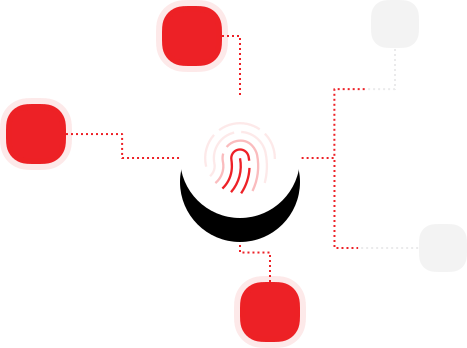

Identity-Bound Biometrics (IBB)
Provide the highest levels of accountability, flexibility, and security integrity by authenticating the identity of your users - not just the device, token or password - anywhere.
Identity-Bound Biometrics
Single Sign-On
Provide seamless, secure access to all your applications with a single point of strong authentication to eliminate password-related frustrations and user complaints.
Single Sign-On

Self-Service Password Reset (SSPR)
Enable users to manage their own passwords, including resets, unlocks and recovery, to streamline help desk processes and reduce frustration for both end-users and IT teams.
Self-Service Password Reset
PortalGuard Desktop
PortalGuard can be used to secure logins from both the browser and desktop with flexible options for multi-factor authentication, Identity-Bound Biometrics, and self-service password reset.
PortalGuard Desktop
Benefits

PortalGuard is a very flexible authentication tool that we can use to fit almost any use case.
Phil S., Infrastructure Engineer, Hershey Entertainment & Resorts

Improve security and regulatory compliance across your institution
Reduce cyber risk by implementing consistent security policies across all systems, platforms, applications and devices to enforce stronger security, including multi-factor authentication powered with Identity-Bound Biometrics. Implementing steps like these will help you stay compliant and, in turn, make it easier to qualify for cyber insurance.

Simplify the lives of employees and customers alike with a modern login experience
Enable users to easily access systems, regardless of where they are, what time it is and what devices they are using with multiple authentication methods to choose from.

Improve the efficiency of security teams and increase business agility
Support new services and systems your organization implements with SSO and centralized administration to help streamline critical aspects of managing identities, authentication, and authorization.

Reduce management and IT costs
Simplified password management prevents password reset calls and simplifies management for help desk employees and administrators, so time spent on mundane tasks can now be spent on high-priority tasks. With a single, unified IAM solution, costs are reduced as siloed solutions are consolidated and the need to buy and maintain on-premises infrastructure is reduced or eliminated.
Deployment Flexibility
SaaS, on-premises, and private cloud options make PortalGuard easy to deploy. Select the method that is best for you!
Schedule a DemoFree Trial
Try PortalGuard IDaaS and its flexible options for meeting your security goals and delivering an optimized user experience.
Try NowFind out what PortalGuard can do for your business.

